Calx order dashboard
An internal order dashboard I built for Calx, an online sticker print shop in Mexico, after its spreadsheet could no longer take new orders.
Built with React and TypeScript, AG Grid Enterprise, Chakra UI, AWS Amplify Gen2, AppSync and DynamoDB, AWS Cognito, AWS Lambda with the Serverless Framework, Google Sheets API, WooCommerce webhooks
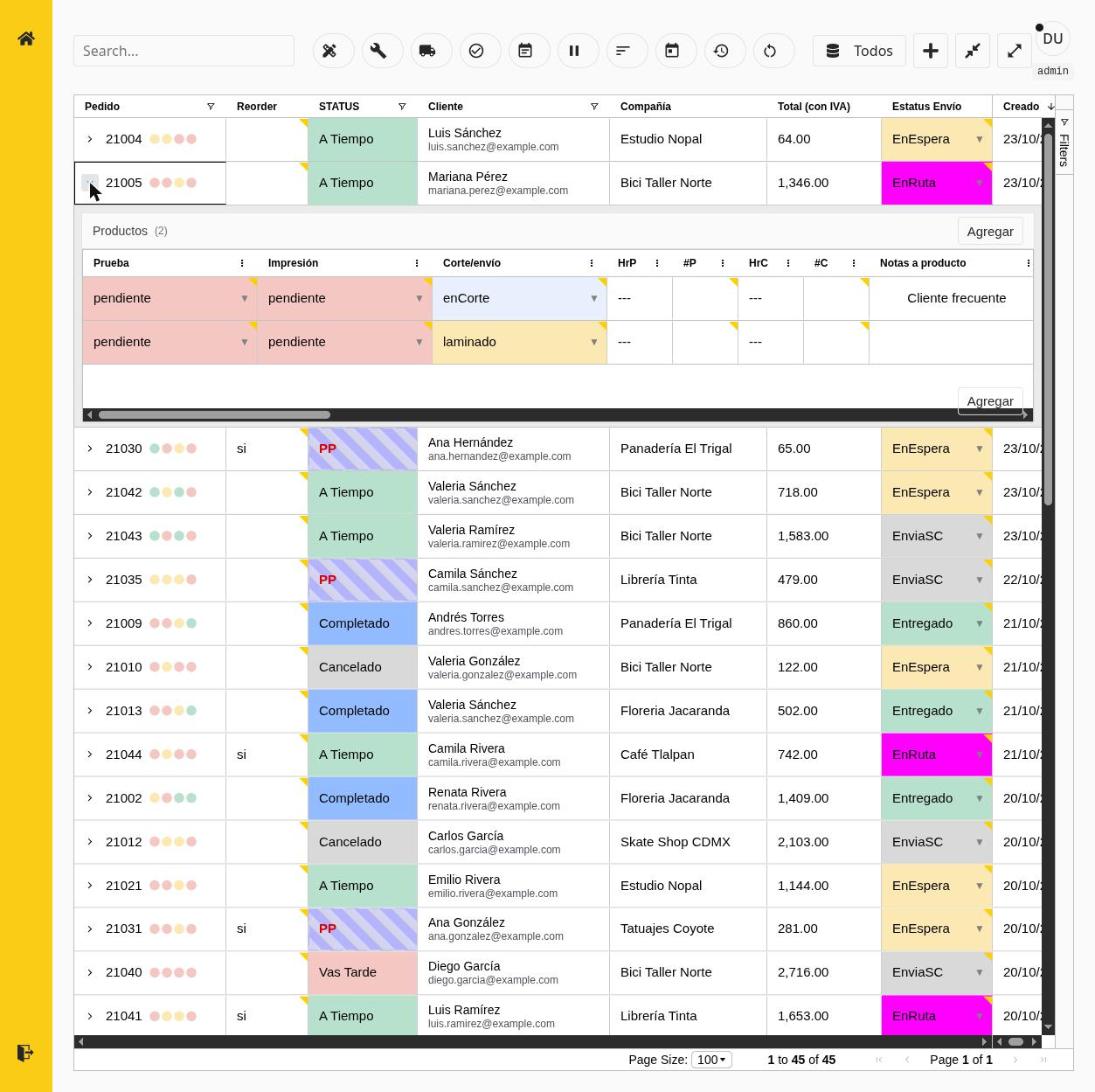
Calx is an online shop in Mexico that prints custom stickers, labels and QR codes. Every order starts in its WooCommerce store, but it still has to get a design approved, printed, cut and delivered before the client is happy. I built the internal dashboard that the team uses to move those orders along, and it has been working for some years now.
It’s an internal tool full of client data, so every screenshot in this post uses demo data.
At a glance
- My role: full stack developer. Only me.
- Timeline: first commit in April 2023, still in use. About 430 commits across the two repos.
- Scope: five Lambda endpoints, one dashboard, five roles.
- How: a WooCommerce webhook reaches a Lambda, the order lands in Google Sheets and DynamoDB, and AppSync subscriptions push changes live to the grid.
- AI: none in the project itself. Only lately, for some small changes and testing.
- Code: private, because it holds client data.
From a spreadsheet to a live dashboard
The spreadsheet started to take so long to add a new record. With thousands of rows, it was impossible to add a new one.
The refactor I’m proudest of is how I went from only a spreadsheet to a dynamic and performant dashboard, with hundreds or thousands of orders, for many roles.
How an order travels
Calx prints stickers, so an order has a process. It starts with the purchase at their front store (WooCommerce). Then the client has to send and approve the design, and it ends with the delivery. On the way, the order passes through departments like design, printing and delivery.
The top row runs once per order. The bottom row runs every time someone edits one.
I moved the Lambdas to Docker images to increase the time and resources each one could take.
Features
- Orders and their products in one grid. Each order is a row, and its products open underneath.
- Status at a glance. It’s calculated from the order’s dates, so nobody has to set it by hand.
- A view for each role. Every department sees only the columns and filters it needs.
- Live changes. An edit shows up on everyone’s screen without a refresh.
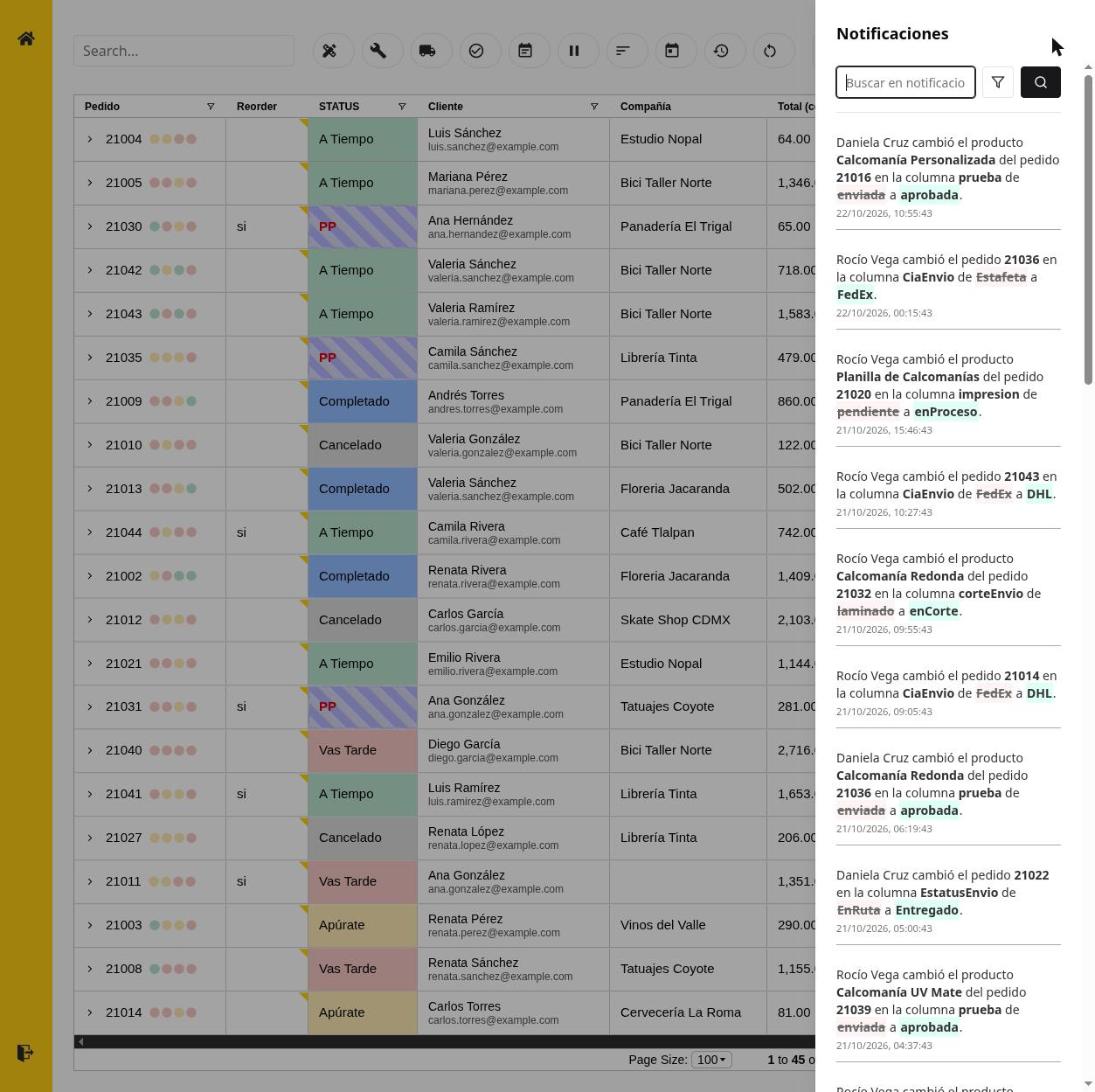
- Notifications. A panel lists who changed what, so the next person in the process can pick the order up. For example, someone waiting for the final design can take it and start printing.
- Search and filters to find an order quickly among thousands.
What broke
What broke was how everything connects and gets real-time changes while staying performant. At the beginning it was really hard to get everything in sync and performant.
What’s next
Keep expanding the dashboard, not by adding new features to the current one, but by adding a back office and business intelligence to analyze the data.
Glossary
- AppSync: an AWS service that runs a GraphQL API and pushes changes to every connected screen.
- Amplify Gen2: AWS tooling that defines the data model and the API in code.
- DynamoDB: AWS’s database, built to stay fast with thousands of records.
- Cognito groups: the login service. A user’s group, such as design or finance, decides what they see.
- Webhook: a message the store sends by itself when something happens, here a new order.
- AG Grid: the table component, with expandable rows and per-column filters.
- Serverless Framework: the tool that deploys the Lambda functions.